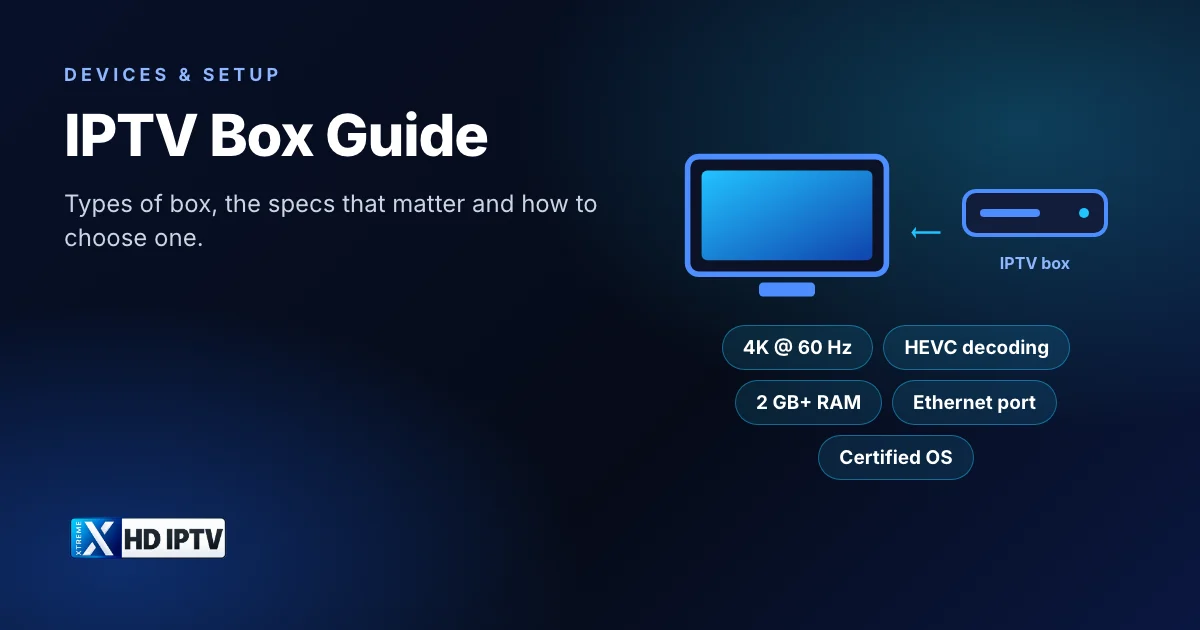
“IPTV box” covers a surprising range of hardware, from a $40 Android TV box bought online to a branded streamer from Google or Amazon and the Linux receivers that satellite enthusiasts have used for years. They all do the same basic job, but they differ a lot in speed, app support and security. This guide explains the main types, the specs that actually make a difference to live TV, and how to pick a box that will still feel quick a couple of years from now.
What is an IPTV box?
An IPTV box (also called an IPTV receiver or set-top box) is a small computer that connects to your TV over HDMI and to your home network over Wi-Fi or Ethernet. It runs an IPTV player app, which loads the channel list, TV guide and on-demand library from your subscription and plays the streams on your TV.
The important point: the box is only hardware. It does not include channels by itself. What you watch comes from the IPTV service you subscribe to; the box and the app are how you watch it. If you are new to the idea, start with what IPTV is and how it works.
Types of IPTV boxes and receivers
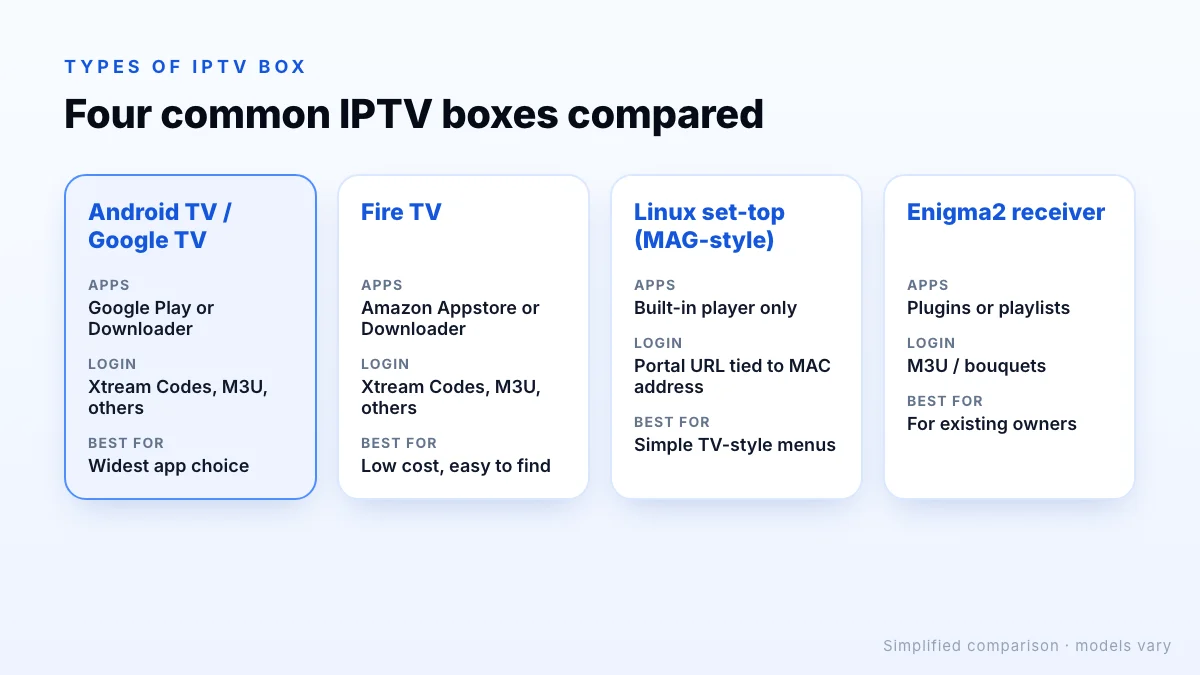
Most boxes sold for IPTV fall into four groups:
Android TV and Google TV boxes
These run Google's TV operating system, so they can install the widest range of IPTV players from Google Play or with the Downloader app. Branded models include the Google TV Streamer and the Nvidia Shield TV, and many TV makers build Google TV into their sets. This is the most flexible option and the one most people should consider first.
Amazon Fire TV devices
Fire TV Sticks and the Fire TV Cube run Fire OS, which is based on Android. They are inexpensive, easy to find and well supported by IPTV apps. Setup is a little different because apps outside the Amazon Appstore are added with Downloader; our step-by-step Fire TV Stick guide covers it.
Linux set-top boxes (MAG-style)
Dedicated IPTV set-top boxes such as Infomir's MAG range run a Linux-based system with a simple TV-style interface. Instead of installing apps, you enter a portal address, and access is usually tied to the box's MAC address. They are stable and simple, but you are limited to the built-in player and must ask your provider whether they support portal logins.
Enigma2 satellite receivers
Linux receivers running Enigma2 (for example Vu+ and Dreambox models) were designed for satellite and cable, but can also play IPTV through playlists or plugins. They suit people who already own one and like tinkering; for everyone else, the setup is more complicated than an Android TV box.
Specs that matter for IPTV
Spec sheets for streaming boxes are long, but only a handful of numbers change how live TV feels day to day:
| Spec | What to look for | Why it matters |
|---|---|---|
| Video output | 4K at 60 Hz if your TV is 4K | A Full HD box can't show 4K channels, even on a 4K TV |
| Video decoding | HEVC (H.265); AV1 is a bonus | Many 4K and FHD streams use HEVC; hardware decoding keeps playback smooth |
| Memory (RAM) | 2 GB as a minimum, more is better | Large channel lists and TV guides load faster and the app crashes less |
| Storage | 8 GB or more free after setup | Players cache logos and guide data; a full box slows down |
| Network | Ethernet port, or Wi-Fi 5 / Wi-Fi 6 | A wired connection is the single best fix for buffering |
| Software | Certified OS that still gets updates | Security patches and app compatibility |
Processor names are harder to compare, so treat RAM, decoding support and the update record as the practical test. A box that is quick when browsing a 20,000-channel list and a full TV guide will be fine for everything else. If you are aiming for Ultra HD, our 4K IPTV guide explains everything else in the chain that has to support it.
Certified vs uncertified Android boxes
Many cheap “Android TV boxes” run a modified version of Android that Google has not certified. They can look identical to certified devices on a shopping site, but often ship with old Android versions, never get security updates, and lack Google Play.
There is also a real security risk. In June 2025 the FBI warned that some unbranded streaming boxes and other low-cost connected devices had been compromised by the BADBOX 2.0 botnet, in some cases with malware installed before the buyer received them. The FBI advised being cautious about devices that ask you to turn off Google Play Protect or that are advertised as unlocked for free content.
How to check a box is certified
IPTV box vs smart TV app vs Fire TV Stick
You do not always need a separate box. Here is how the main options compare:
| Option | Good for | Watch out for |
|---|---|---|
| Smart TV app (Samsung, LG) | No extra hardware or remote | Fewer player apps; some need activation on a website; TV processors are often slow |
| Fire TV Stick | Low cost, easy to move between TVs | Less storage and RAM than boxes; no Ethernet without an adapter |
| Android TV / Google TV box | Most app choice, Ethernet, more power | Higher price for good models; avoid uncertified ones |
| Linux set-top box | Simple, TV-like interface | Depends on your provider supporting portal logins |
A sensible rule: if your smart TV already runs a compatible player smoothly, start there. If the guide is slow, apps are missing or the Wi-Fi is weak where the TV sits, a box with an Ethernet port is the upgrade that makes the biggest difference. See which devices Xtreme HD IPTV supports.
Setting up an IPTV box
- Connect the box to your TV's HDMI port (use a 4K-capable port for 4K) and, ideally, to your router with an Ethernet cable.
- Complete the on-screen setup and install every available system update.
- Install a player app. On Android TV and Fire TV you can use the Downloader app with code 9541272 to install the Xtreme HD IPTV app, or choose another IPTV player app.
- Sign in with the details from your subscription or trial and wait for the channels and guide to load.
- Set display resolution to automatic and add your favourite channels.
The Android TV setup steps walk through each menu on the way, including how to allow Downloader to install apps.
Which box should you choose?
- Full HD TV, tight budget: an HD Fire TV Stick or a basic certified Google TV streamer is enough.
- 4K TV: a 4K Fire TV Stick, Fire TV Cube or certified Google TV box with HEVC decoding and 4K output at 60 Hz.
- Big channel lists, recording, several profiles: a more powerful Android TV box with extra RAM, plenty of storage and an Ethernet port.
- Already own an Enigma2 or MAG box: ask your provider whether they support it before buying anything new.
Whatever you pick, test it with your own connection before committing to a long plan. Xtreme HD IPTV offers a trial on request so you can check how channels and the guide perform on your box, then choose the number of connections and plan length on the pricing page.
The bottom line
An IPTV box is just the hardware that runs your player app, so choose it for the job: a certified operating system that still gets updates, 4K and HEVC if your TV is 4K, enough RAM for a big channel list, and ideally an Ethernet port. For most people, a certified Google TV or Android TV box or a Fire TV device is the simplest choice, while MAG-style and Enigma2 boxes suit people who already own one. Once it's set up, our player app guide helps you pick what to run on it.