If you have searched for a new way to watch TV, you have probably seen the word IPTV everywhere, often with no explanation. This guide covers what IPTV means, how the technology gets a channel from a broadcaster to your screen, and how it differs from cable, satellite and the streaming apps you already know. It also covers what you need to get started and where IPTV falls short, so you can decide if it suits the way you watch.
How IPTV works
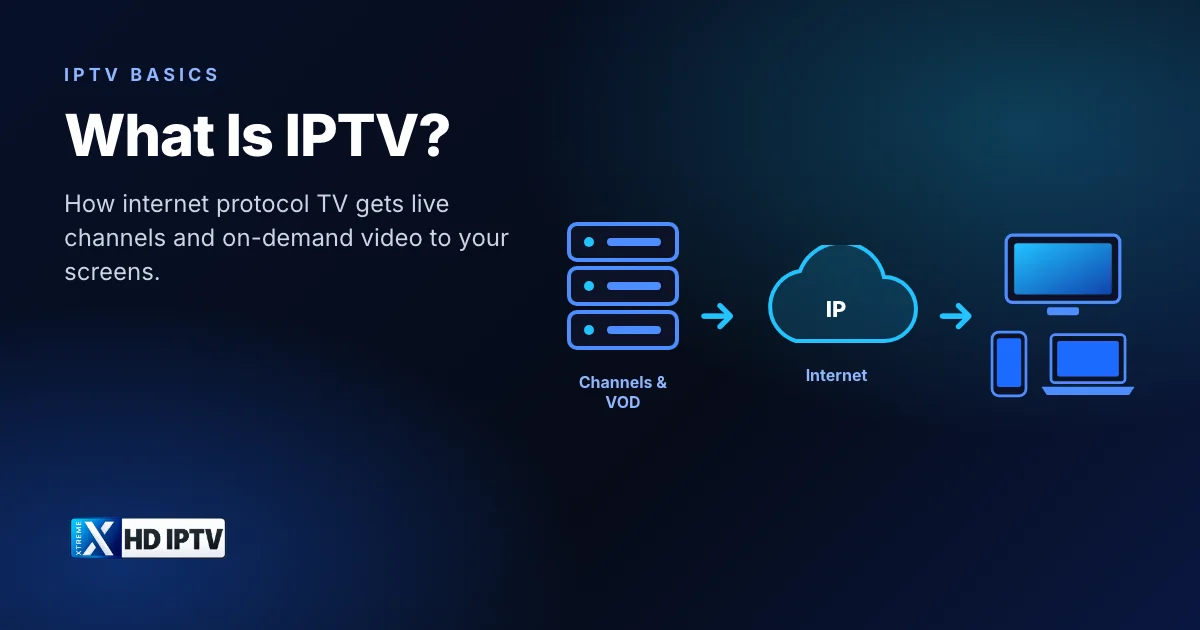
IPTV stands for Internet Protocol Television. Wikipedia describes it as “the service delivery of television over Internet Protocol (IP) networks”, the same family of networks that carries web pages, email and video calls. Instead of arriving as a radio signal through an aerial or a dish, each channel is turned into a stream of data packets and sent to your device on request.
A typical IPTV service works in four stages:
- Capture and encode. The provider takes in live channels and video files and compresses them with a video codec such as H.264 or HEVC (H.265), which keeps the picture sharp while using far less bandwidth.
- Package and store. Streams are split into short segments, and on-demand titles are stored on servers so they can start at any time.
- Deliver over IP. When you pick a channel, your app asks the provider's servers for that stream, which travels over the internet to your home router.
- Decode and play. A player app on your TV, stick, phone or computer decodes the packets back into pictures and sound, and shows them alongside a TV guide.
Because the stream is only sent when you ask for it, IPTV can offer far more channels than a fixed broadcast line-up, plus features like pausing, rewinding and catch-up that traditional broadcasts can't easily provide.
IPTV vs cable, satellite and streaming apps
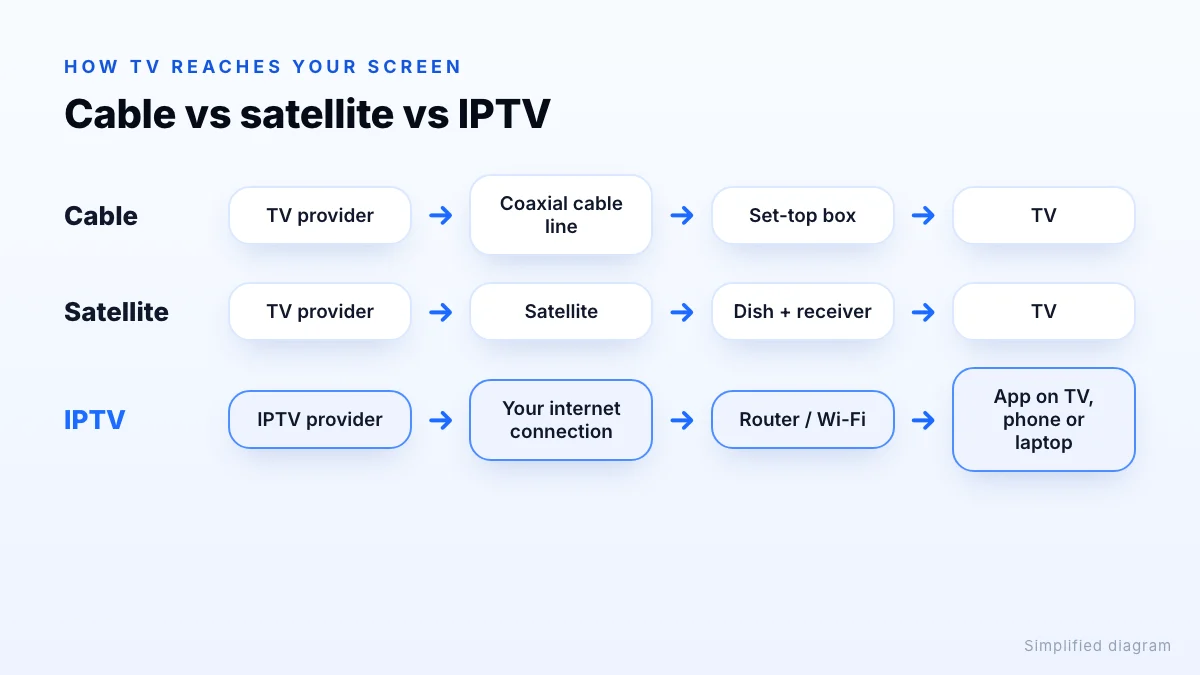
All four ways of watching end up on the same TV, but they reach it very differently. The biggest practical differences are what hardware you need, where you can watch and whether you get live channels or only an on-demand library.
| IPTV | Cable / satellite | On-demand streaming apps | |
|---|---|---|---|
| How it arrives | Internet connection | Coaxial cable or satellite dish | Internet connection |
| Live TV channels | Yes, usually with a TV guide | Yes | Mostly no; some add a few live channels |
| On-demand movies and series | Usually included | Limited, often extra | Yes, the main focus |
| Extra hardware | None beyond a supported device | Set-top box, installer visit | None |
| Watch on phone or laptop | Yes, with a player app | Limited | Yes |
| Main dependency | Internet speed and stability | Line or dish signal | Internet speed |
In short, IPTV combines the live channels and TV guide of cable with the flexibility of a streaming app. The trade-off is that picture quality depends on your internet connection rather than a dedicated signal.
What you can watch: live TV, VOD and catch-up
Most IPTV services offer three kinds of content, and a good player app keeps them in separate sections:
Live TV
Live TV is the core of IPTV: news, sports, entertainment and kids' channels, playing in real time and grouped by category. Because there can be thousands of them, an electronic program guide (EPG) is essential for seeing what is on now and next without flicking through every channel.
Video on demand (VOD)
VOD is a library of movies and TV series that start whenever you press play, with posters, descriptions and season lists, much like a streaming app.
Catch-up and time-shift
Some channels let you watch programmes that have already aired, or restart a show from the beginning. Whether this is available depends on the provider, the channel and the player app you use.
Example: Xtreme HD IPTV
What you need to watch IPTV
You don't need a dish, an installer or a new TV. You need four things:
- A supported device. Fire TV Stick, Android TV or Google TV boxes, Samsung and LG smart TVs, Android phones, iPhones and iPads, Windows PCs and Macs all work. Our supported devices list shows how each one installs.
- A player app. This is the software that plays the streams and shows the guide. Some providers have their own app; many people use third-party players. Our guide to IPTV player apps compares the popular ones.
- A stable internet connection. Speed matters most for high resolutions. Netflix, for example, recommends at least 5 Mbps for Full HD and 15 Mbps for 4K per stream. We cover this in detail in what internet speed you need for 4K, FHD and HD.
- A subscription. The subscription gives you the login details your app uses to load channels. Plans usually vary by length and by the number of screens that can watch at once, called connections.
Operator IPTV vs internet IPTV services
The word IPTV covers two slightly different things, which explains why definitions online sometimes disagree.
Operator IPTV is TV sold by a telecom or broadband company over its own managed network, often bundled with your internet plan and a set-top box. Wikipedia notes that this kind of IPTV runs on a closed network where security and performance are tightly managed by the operator. The ITU (the UN's telecoms standards body) ran a dedicated IPTV Global Standards Initiative to develop technical standards for these networks.
Internet IPTV services deliver channels over the public internet to any connection, so they work with whichever broadband provider you have. You install an app instead of renting a box, and you can usually take the service with you on a phone or laptop. This is the kind of service most people mean when they search for an IPTV subscription today.
Advantages and limitations
Advantages
- Large channel line-ups and on-demand libraries in one app
- Works on devices you already own, with no installation visit
- Watch on several screens, including phones and laptops away from the TV
- Interactive features such as a TV guide, favourites, search and catch-up
- Flexible plans by length and number of connections, instead of long contracts
Limitations
- Picture quality depends on your internet. Busy Wi-Fi or a slow line can cause buffering, especially in 4K.
- Quality and reliability vary a lot between providers, so it pays to test before you commit.
- Setup involves choosing a player app and entering login details, which takes a few minutes the first time.
A short test on your own device and connection is the most reliable way to judge a service. Check that the channels you watch most load quickly and that the guide matches what is actually on.
Getting started
If IPTV sounds like a fit, here is a simple path from zero to watching:
- Check that your TV, stick or phone is on the supported devices list.
- Request a trial to test the service on your own connection.
- Install the app using the setup guide. On a Fire TV Stick, our step-by-step Fire TV guide walks you through it.
- When you are happy, compare plans and prices and choose the number of connections your household needs.
Still have questions? The Xtreme HD IPTV FAQ answers the most common ones, and support is available 24/7 on WhatsApp and Telegram.
The bottom line
IPTV is simply television delivered over the internet: live channels, on-demand films and series and a TV guide, played through an app on a device you probably already own. What makes it work well at home is a supported device, a suitable player, a stable connection and enough connections for everyone who watches at once. Start with a trial to see how it performs on your own TV, then read our checklist for choosing an IPTV provider.