
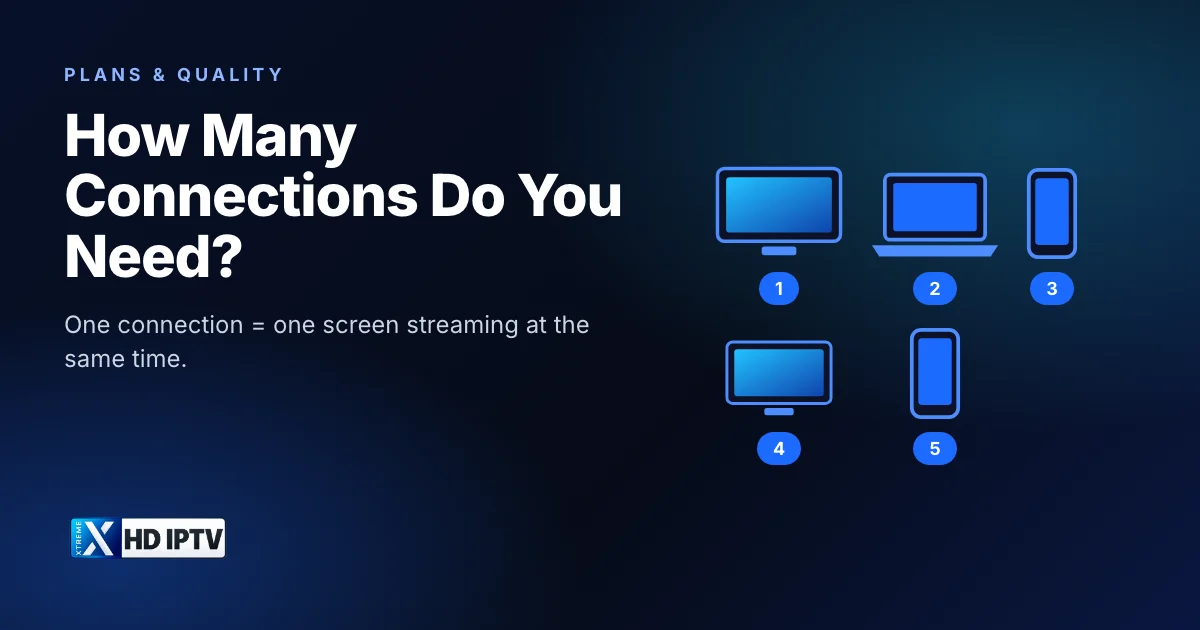
Choosing the number of connections is the one decision on an IPTV plan that people most often get wrong, usually by counting devices instead of people. Pick too few and someone gets cut off halfway through a match; pick too many and you pay for screens nobody uses. This guide explains exactly what a connection is, how to count the connections your household needs, and how the price changes from 1 to 5 connections.
What a connection means
A connection is a single active stream. If one person watches the living-room TV while another watches on a phone at the same moment, that is two connections. One person who watches the TV in the evening and the phone on the train the next morning only uses one connection, because the streams never overlap.
In other words, connections measure simultaneous viewing, not how many devices you own or how many people live in your home.
Connections vs devices vs people
| Does it use a connection? | Example | |
|---|---|---|
| Installing the app on a device | No | The app is set up on a TV, a stick and two phones |
| A device that is switched off or idle | No | The bedroom TV, unused tonight |
| A screen that is playing a channel or film | Yes, one each | Two TVs playing at 8pm use two |
| Two people watching one screen together | One | A couple on the sofa |
So a household can have the app on six devices and still only need two connections, if no more than two screens are ever playing at once. When you finish watching, stop playback and exit the channel rather than leaving it playing in the background, so the stream is closed.
Profiles work the same way. Many player apps let each person keep their own favourites and history, but profiles don't add connections: two profiles watching on two screens at once still use two connections, and five profiles on one TV, taking turns, use only one.
How to count the connections you need
- Think about your busiest viewing time, such as a weekend evening or a big match.
- Count every screen that could be playing at that moment: TVs, streaming sticks, tablets, phones and computers.
- Add one if someone sometimes watches on a phone or tablet while the TVs are on.
- Choose a plan with at least that many connections.
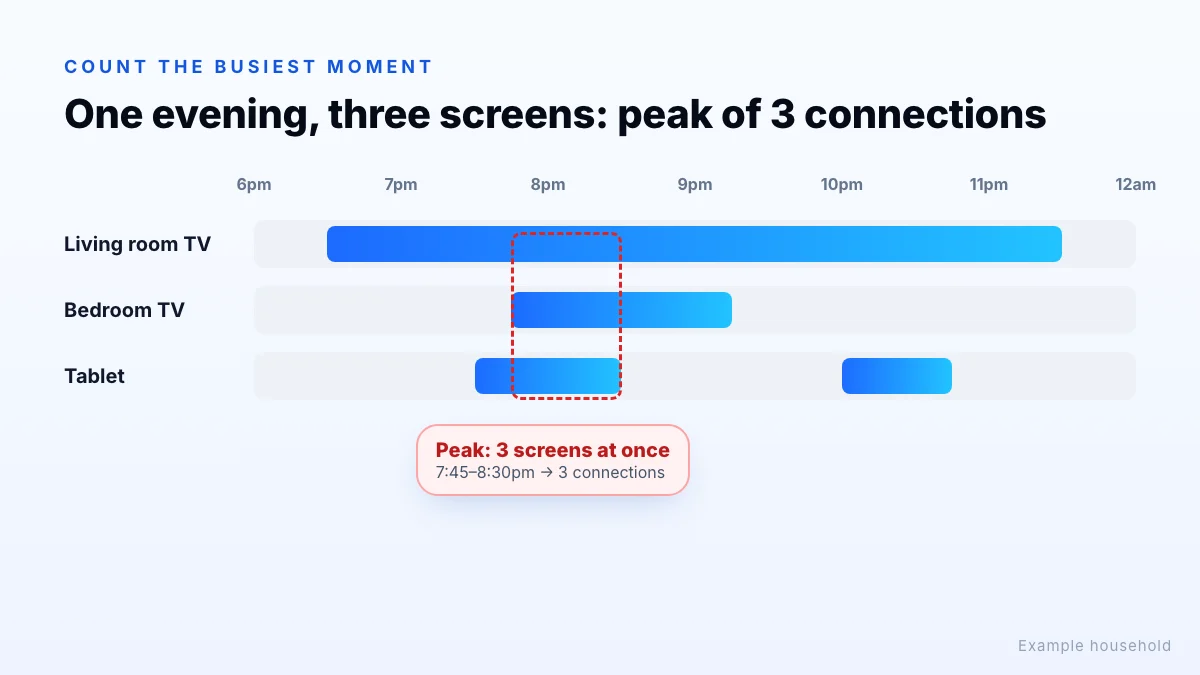
In the example above, three screens are used during the evening, but never more than three at the same time, and only briefly. That household needs three connections if everyone must be able to watch at once, or two if the tablet viewer is happy to wait.
Don't forget the occasional peaks
Your normal weekday evening may not be your busiest moment. Big matches, finales, school holidays and visiting family can all add a screen or two. If those peaks happen often and matter to you, plan for them; if they are rare, it may be fine for someone to wait or watch together.
Typical households
| Household | Suggested connections | Why |
|---|---|---|
| One viewer, or a couple who always watch together | 1 | Only one screen plays at a time |
| Two people who sometimes watch different things | 2 | TV plus a second TV, phone or tablet |
| Small family with a main TV, a bedroom TV and a tablet | 3 | All three can play during the evening |
| Larger household or shared home | 4 or 5 | Several people stream in different rooms at once |
If you live alone but like to have the news on the kitchen tablet while sport plays on the TV, count that as two. The question is always how many screens are playing at the same moment.
Price by connection count
Prices in USD for each connection count:
| Connections | 1 month | 12 months | 12 months, per connection per month |
|---|---|---|---|
| 1 Connection | $15 | $75 | $6.25 |
| 2 Connections | $25 | $99 | $4.13 |
| 3 Connections | $35 | $140 | $3.89 |
| 4 Connections | $44 | $150 | $3.13 |
| 5 Connections | $55 | $195 | $3.25 |
On 12-month plans, each extra connection costs less per month than the first: one connection works out at $6.25 a month, while five connections cost $3.25 per connection per month. 3-month and 6-month prices for every connection count are on the pricing page.
A worked example
Take a family of four with a living-room TV, a bedroom TV and two phones. On a typical evening, the living-room TV is on, a teenager watches in the bedroom, and one parent sometimes watches on a phone. That is three screens at peak, and the fourth device is rarely used at the same time.
Using our 12-month prices, three connections cost $140, while two connections cost $99. If the phone viewing is rare and the parent is happy to watch the living-room TV instead, two connections may be enough. If all three regularly overlap, three connections avoid the frustration of a refused stream.
Connections and your internet speed
More connections only help if your internet can carry them. Each stream needs its own bandwidth: as a general guide, about 5 Mbps for HD, 10 Mbps for FHD and 25 Mbps or more for 4K. Three screens watching in FHD at once need around 30 Mbps before anything else in the house is counted. Our guide to internet speed for 4K, FHD and HD shows how to add it up and test your connection.
What happens if you use too many screens?
If more screens try to play than your plan allows, the extra stream can be refused or another one stopped. That often looks like a fault, with a channel that won't load or a stream that suddenly ends, when the real cause is someone else in the house watching. Before troubleshooting, check who else is streaming. Our IPTV troubleshooting guide covers this and other common causes.
Sharing outside your home
Not sure? Test first
If you're unsure how many screens you'll use, request a trial and see how your household watches over a few evenings before you pick a plan. Keep a note of the busiest moment, and ask support any questions about connections before you subscribe.
The bottom line
You need one connection for every screen that plays at the same time, not one per device or per person. Count the busiest moment in your week, add one if a phone or tablet often joins in, and check that your internet speed can carry that many streams. Xtreme HD IPTV plans come with 1, 2, 3, 4 or 5 connections; compare them on the pricing page, and if you're choosing between services, our IPTV provider checklist covers what else to compare.