
Search for a free IPTV player and you will find dozens of apps, some genuinely free, some free to install but limited until you pay, and a few that are not what they claim to be. A player is a small but important part of your setup: it decides how the channel list, TV guide and playback feel every day. This guide explains what “free” covers, lists solid free options by device, and shows which free apps are worth avoiding.
What a free IPTV player is
An IPTV player is software that plays live channels, on-demand video and the TV guide from a subscription or playlist you add. A free IPTV player is simply one you don't pay for. It is not the same as free content: every legitimate player is empty until you add your own login or playlist, and their developers say so in their store listings. If you're looking for free channels rather than a free app, see our guide to free IPTV.
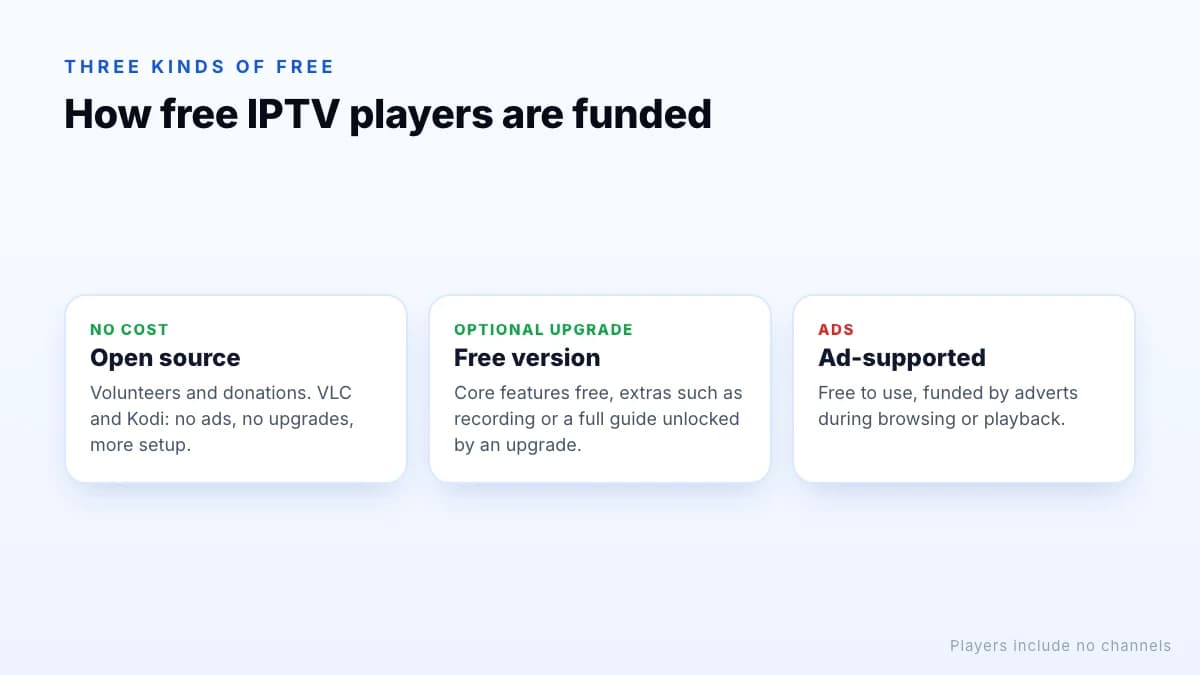
Three kinds of free player
| Type | How it's funded | Examples | Trade-off |
|---|---|---|---|
| Open source | Volunteers and donations | VLC, Kodi | Fewer TV-style features (VLC) or more setup (Kodi) |
| Free version of a paid player | Optional upgrade | TiviMate and others | Some features locked until you pay |
| Ad-supported | Advertising | Various store apps | Ads interrupt browsing or playback |
Free players by device
Fire TV and Android TV
VLC and Kodi are both free on Android-based TV devices. Many TV players, such as TiviMate, have a free version with optional paid upgrades; check each store listing for current pricing. Our guide to the best IPTV for Firestick compares them on Fire TV specifically.
Windows and Mac
VLC opens M3U links directly, and Kodi with the free PVR IPTV Simple Client add-on gives you a full guide. See our IPTV player for Windows guide for setup steps.
iPhone and iPad
VLC for iOS can play network streams, and several App Store IPTV players offer free downloads with in-app purchases. Read the listing carefully: many are free to install but require a subscription to the app for full use.
Smart TVs
On Samsung and LG TVs, player choice is narrower and some players charge a one-off activation fee after a trial. Check the app's official website for its current pricing before you rely on it.
A note on Kodi add-ons
Kodi itself is legitimate, open-source software, and so is the PVR IPTV Simple Client add-on in its official repository. Some third-party Kodi add-ons, though, exist to scrape unlicensed streams. They come from unofficial repositories, break often, and can expose you to malware. If you use Kodi for IPTV, stick to the official repository and your own subscription.
Free vs paid features
Where a player has a free and a paid tier, the paid tier typically adds some of these:
- a full grid TV guide rather than a simple list;
- recording and catch-up support;
- multiple playlists or profiles;
- favourites synced between devices;
- no adverts.
A sensible approach is to start with the free version, use it for a week, and only pay if a missing feature genuinely matters to you. App upgrades are paid to the app developer and are separate from your IPTV subscription. Don't confuse a free app with a free trial of a service, either: a trial gives you temporary access to channels, while a free player gives you nothing to watch until you add a subscription or playlist. Our IPTV player app comparison covers the main players in more depth.
Whichever player you pick, keep it updated: updates fix playback bugs and security issues, and an outdated app is a common cause of streams that suddenly stop working. One practical tip: keep the same player on every device where you can. Your layout, shortcuts and habits carry over, and some players sync favourites between devices, which saves rebuilding your channel list on each TV.
Free apps to avoid
- “Modded” or “cracked” versions of paid players that unlock premium features for free. They come from file-sharing sites, can carry malware, and often stop working after updates.
- Apps preloaded with channels. A player that arrives full of channels is distributing content it almost certainly has no rights to.
- Apps that ask for unusual permissions, such as access to your contacts or messages.
- Anything installed from a pop-up or advert link rather than an official store or developer site.
The safe rule
Setting up a free player
The steps are much the same in every free player:
- Install the player from your device's official app store or the developer's website.
- Choose how to add your service: an Xtream Codes login, an M3U playlist URL, or a code shown for website activation.
- Enter the details exactly as your provider sent them, including
http://and any port number. - If you use an M3U link, add the separate EPG (XMLTV) link in the guide settings.
- Wait for the channel list and guide to load, then add favourites and hide categories you don't need.
If channels load but won't play in one free player, try another before assuming the service is at fault; a quick test in VLC is the easiest comparison. Our M3U guide has fixes for common playlist errors.
Privacy and permissions
Free apps have to be funded somehow. Ad-supported players may collect usage data for advertising, so read the privacy section of the store listing, which on Google Play and the App Store sets out what data an app collects. A media player needs network access and, for recordings, storage. It has no reason to ask for your contacts, messages or precise location. If a player you have installed starts asking for permissions like those, uninstall it.
Choosing a free player
- Start with your device. Not every player runs on every platform.
- Check your login type. Xtream Codes, M3U or MAC activation; the player must support yours.
- Decide if you need a TV guide grid. If yes, VLC alone won't be enough.
- Try it with real use for a few evenings before paying for any upgrade.
The bottom line
Free IPTV players are plentiful and many are excellent, but “free” means the app, not the channels. Open-source players such as VLC and Kodi cost nothing at all, free versions of TV players let you try before paying for extras, and ad-supported apps trade cost for interruptions. Stick to official sources, avoid modded apps, and choose by device and login type. To test a free player with a real subscription, request a trial.