HDMI to IPTV converters sit behind a lot of everyday video: the live feed from a church service, the lecture shown in overflow rooms, the welcome channel on hotel TVs and the camera stream from a sports club. Shopping for one means wading through terms such as hardware encoder, multicast, H.264, SRT and low latency. This guide explains what these devices do, what each spec means and how to choose one for your setup, whether that is a single stream to YouTube or a channel distributed across a building.
What an HDMI to IPTV converter is
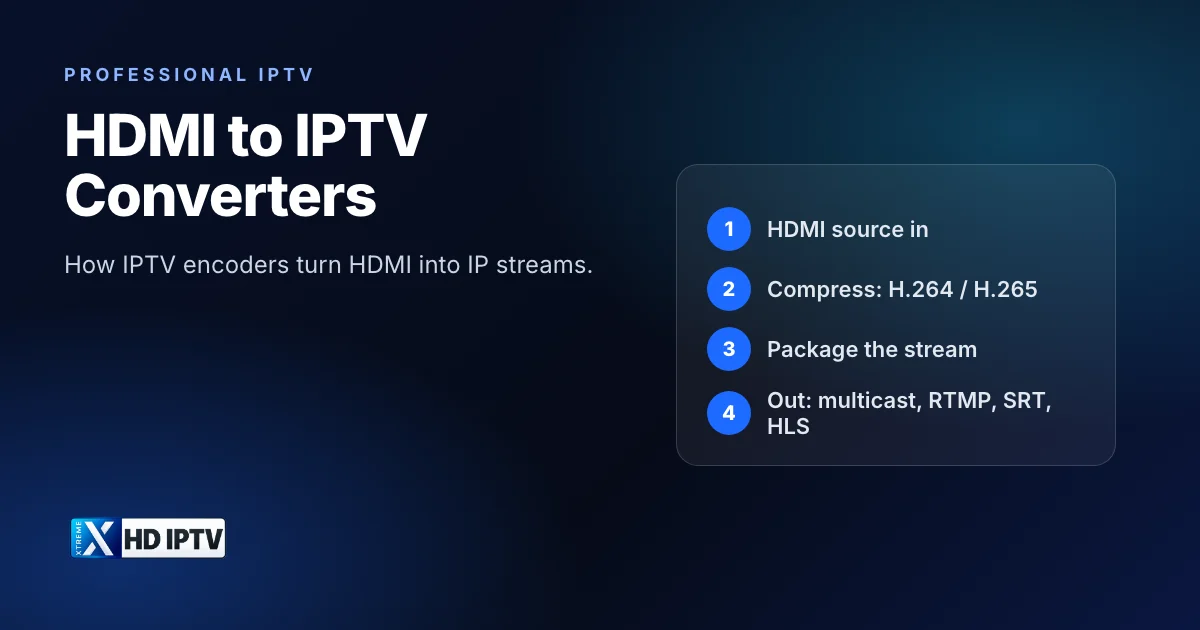
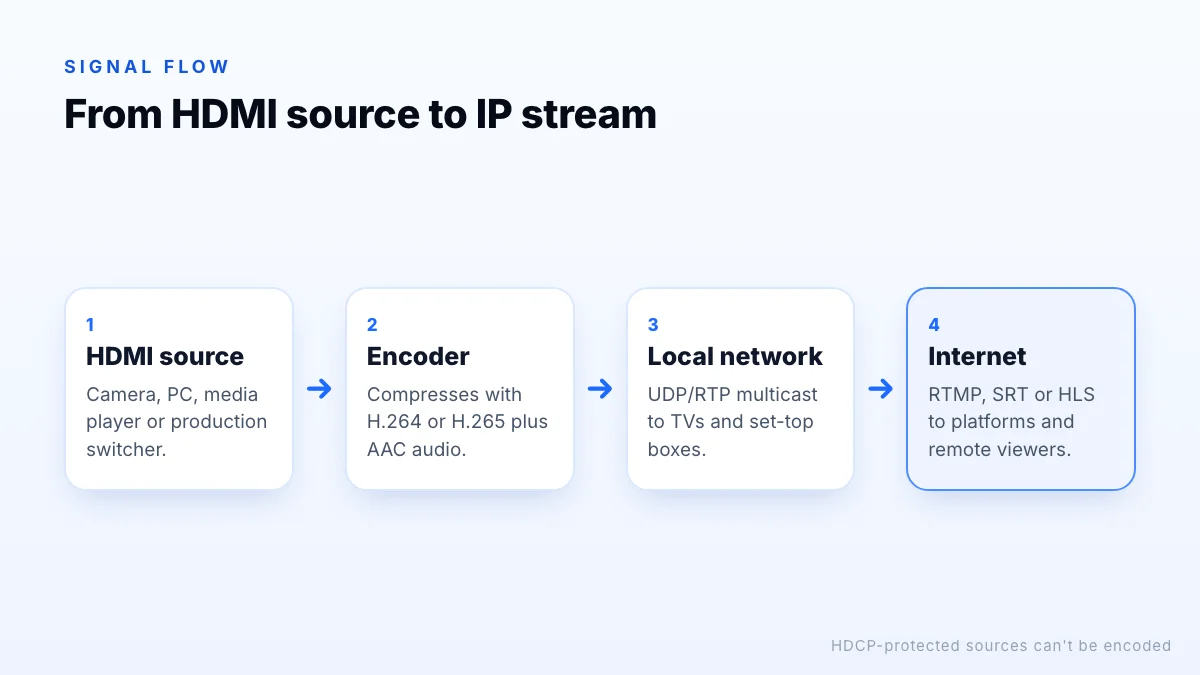
An HDMI to IPTV converter, more often called an IPTV encoder or HDMI encoder, is a small hardware device with an HDMI input and a network port. It:
- receives uncompressed video and audio from an HDMI source;
- compresses it with a video codec such as H.264 or H.265 and an audio codec such as AAC;
- packages it as a stream and sends it over an IP network, to a local network, a server or a streaming platform.
Viewers then watch on TVs, set-top boxes, computers or phones with a compatible player. For the networking side, see how IPTV uses internet protocol.
What people use them for
- Live streaming a camera or production switcher to YouTube, Facebook or another platform.
- Distributing a channel around a building: overflow rooms, digital signage, waiting areas.
- Hotels and hospitals, as one input into a larger IPTV headend; see our IPTV headend guide.
- Contribution feeds: sending a feed from a venue back to a studio over the internet.
- Monitoring: watching a source remotely on a laptop or phone.
The specs that matter
| Spec | What it means | What to look for |
|---|---|---|
| Input | Maximum HDMI resolution and frame rate | 1080p60 for most uses; 4K60 needs HDMI 2.0 input |
| Codec | Compression format | H.264 for compatibility; H.265 for lower bandwidth |
| Bitrate control | How data rate is managed | CBR for predictable networks; VBR for efficiency |
| Outputs | Protocols supported | UDP/RTP multicast, RTMP(S), SRT, HLS as needed |
| Streams | How many outputs at once | Main and sub-streams at different qualities |
| Latency | Delay from input to viewer | Sub-second where interaction matters |
| Management | How you configure it | Web interface, presets, remote management |
| Power | How it's powered | PoE is handy for tidy installations |
“Hardware”, “professional” and “broadcast” encoders differ mainly in reliability, input options (for example SDI as well as HDMI), redundancy and management features rather than in the basic job. A broadcast encoder for a TV channel is built to run unattended for years; a compact HDMI encoder is built for a single feed at a modest price.
H.264 vs H.265
H.264 (AVC) is supported by almost every player, TV, browser and streaming platform, which makes it the safe default. H.265 (HEVC) needs roughly half the bitrate for similar quality, which matters most at 4K and on limited bandwidth, but every receiving device must support it. A common approach is to encode H.264 for wide distribution and H.265 where you control the playback devices.
4K encoding
Output protocols: multicast, RTMP, SRT, HLS
- UDP/RTP multicast sends one stream that every receiver on a local network can join. It is the standard for in-building distribution, and it needs network switches that support IGMP snooping so streams only go where they are requested.
- RTMP/RTMPS is the common way to push a stream to platforms such as YouTube and Facebook.
- SRT (Secure Reliable Transport) is an open-source protocol designed to send low-latency video reliably over unpredictable networks such as the internet.
- HLS serves the stream as segments over HTTP, playable in browsers and apps, at the cost of several seconds of delay.
Low-latency encoding
Latency is the delay between something happening in front of the camera and viewers seeing it. For a one-way broadcast, a few seconds rarely matters. For overflow rooms where people respond to the main room, live auctions or two-way interviews, it does. Low-latency encoders keep processing delay small, and protocols such as SRT or UDP on a local network keep delivery delay low. HLS adds the most delay because of its segment-based design.
HDCP and what you can encode
HDCP (High-bandwidth Digital Content Protection) is copy protection on HDMI outputs. Commercial set-top boxes, streaming devices and Blu-ray players typically enable it, and encoders cannot legally capture HDCP-protected signals; licensed devices are built to refuse them. In practice, HDMI encoders are for your own content: cameras, computers, presentation systems and production switchers. Redistributing TV channels to rooms, for example in a hotel, normally requires both a licensed source and the rights to distribute it, which is a job for a properly licensed headend.
Bandwidth planning
Encoders need network capacity in two places. For internet streaming, your upload speed must comfortably exceed the stream's bitrate: a 1080p stream at 6 Mbps needs a stable upload well above that, because upload speeds fluctuate and other devices share the line. For local multicast, the network must carry every channel at once on links where viewers are watching, so a line-up of ten channels at 8 Mbps is 80 Mbps on the busiest links. Leave headroom in both cases, and use a wired connection for the encoder itself.
Main and sub-streams
Many encoders can output a high-quality main stream and a lighter sub-stream at the same time, for example 1080p for TVs and 720p for phones or a remote preview. That avoids forcing every viewer onto the heaviest stream.
Choosing an encoder
- Define the destination: a platform (RTMP/SRT), a local network (multicast) or both at once.
- Match the input: resolution and frame rate of your source, and HDMI or SDI.
- Choose the codec your viewers' devices can play.
- Check latency if anyone interacts with the live event.
- Plan the network: upload bandwidth for internet streams; IGMP-capable switches for multicast.
- Consider management: remote configuration and monitoring for unattended installations.
- Test before the event: run the full chain end to end, including the viewers' own devices and networks.
The bottom line
An HDMI to IPTV converter is an encoder that compresses an HDMI source into an IP stream. Choose by destination and viewers: H.264 for compatibility or H.265 for efficiency, multicast for in-building distribution or RTMP and SRT for the internet, and a low-latency model where timing matters. Remember that HDCP-protected sources can't be encoded, so these devices are for your own content. For distributing many channels to many rooms, read our guide to IPTV headends.