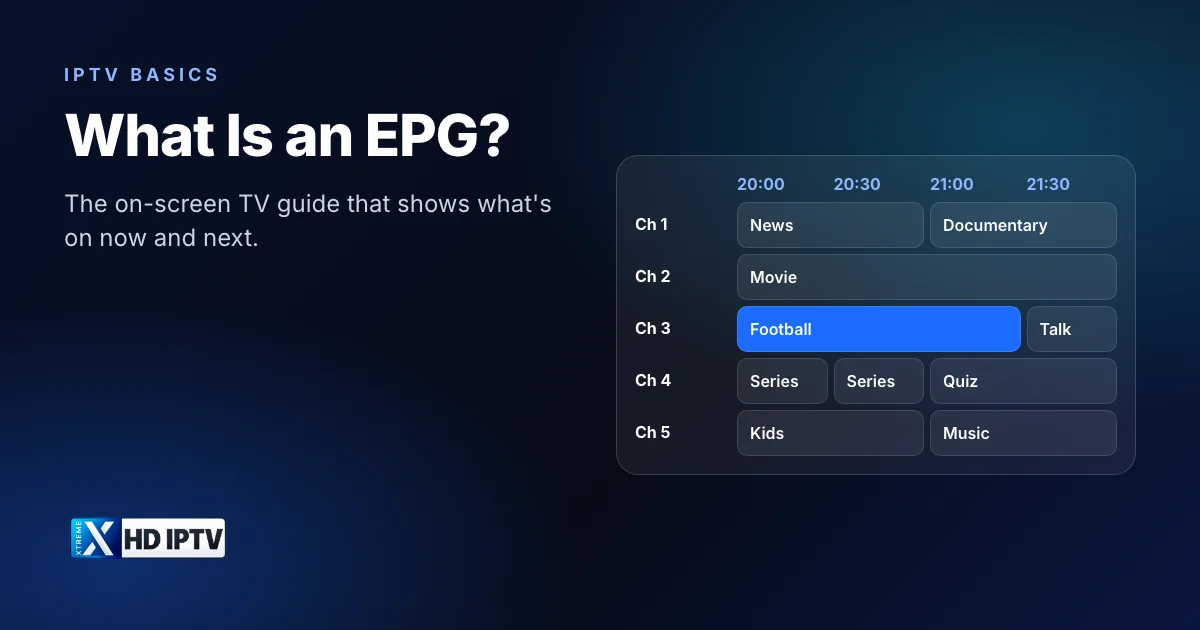
Every IPTV app has a screen that looks like a TV listings magazine: channels down the side, times across the top, programmes filling the grid. That screen is the EPG, and on a service with thousands of channels it is the main way you find something to watch. This guide explains what an EPG is, where its data comes from, what it can do beyond showing listings, and how to fix it when it shows the wrong information.
What is an EPG?
EPG stands for electronic program guide (or programme guide in British English). It is an on-screen TV guide that lists what is on now and what is coming up on each channel, usually for the next few days. Cable and satellite boxes have offered EPGs since the 1990s; in IPTV, the guide is part of your player app and is filled with data supplied by your IPTV service.
The terms “EPG”, “TV guide” and “programme guide” mean the same thing in practice. Some apps also call it the “grid” or “timeline” view.
What the TV guide shows
- The programme playing now on each channel, often with a progress bar
- What's coming up next, so you can plan what to watch
- Programme titles and, where available, descriptions, episode numbers and genres
- Start and end times in your local time zone
- Icons for extras such as catch-up, where the service and app support them
How much detail you see depends on the channel. Major channels usually have full descriptions, while smaller or regional channels sometimes only list titles, or show “No information” when no listings exist.
How an IPTV EPG gets its data
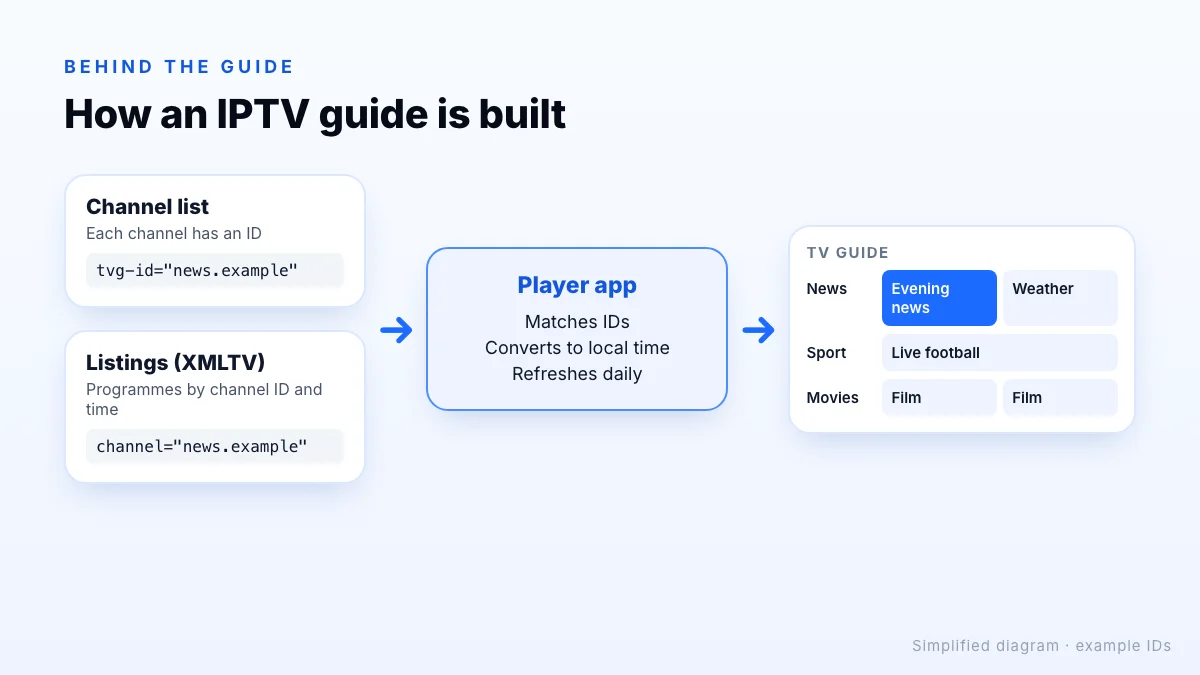
An IPTV guide is assembled from two separate pieces: the channel list and the listings. Your player downloads both and joins them together.
- Listings file. The service publishes schedule data, commonly in the XMLTV format: an XML file that lists programmes by channel, with start and stop times, titles and descriptions.
- Channel matching. Each channel in your list carries an ID. In an M3U playlist this is the
tvg-idattribute. The player looks up that ID in the listings file. - Time conversion. Listings include a time-zone offset, and the player converts them to your device's local time.
- Refresh. The app downloads fresh listings periodically, typically once a day or when you refresh manually.
With an Xtream Codes login, the player usually fetches channels and guide data together automatically. With an M3U playlist, you may need to paste a separate EPG link. Our IPTV player apps guide explains the login types.
Why it matters with thousands of channels
Xtreme HD IPTV includes 20,000 live channels. Scrolling through them one at a time would take longer than most programmes last. The guide turns that list into something you can scan: open a category such as sport or news, look across the grid, and jump straight to the programme you want. It also answers the questions people ask most often, like what time a match starts or whether a film is about to begin, without changing channel.
Every Xtreme HD IPTV plan includes a real-time TV guide; how it looks depends on the player app you use.
Features built on the guide
| Feature | What it does | Depends on |
|---|---|---|
| Now and next | Shows the current and following programme in the channel list | Guide data for that channel |
| Search | Finds a programme by title across all channels | The player app |
| Reminders | Alerts you when a programme is about to start | The player app |
| Catch-up | Plays a programme that has already aired | The service offering it on that channel, plus app support |
| Recording | Saves a programme to device storage | The player app and free storage |
Features vary by app. TiviMate, for example, is known for its grid guide and recording options, while simpler players may only show now-and-next. Check the app's own documentation before relying on a feature.
The guide on different devices
The same guide data looks different depending on where you watch. On Fire TV and Android TV, many players show a full grid that you move through with the remote's arrow keys. Smart TV apps on Samsung and LG sets are often simpler, sometimes showing only now-and-next. On phones and tablets, players usually switch to a list for each channel, which is easier to read on a small screen.
On a TV, a few remote shortcuts save a lot of scrolling: many players jump a page or a day at a time with the channel or fast-forward buttons, and long-pressing a programme often opens options such as reminders or catch-up. See the supported devices to check which apps suit yours.
Tips for using the guide
- Browse by category (sports, news, movies) rather than the full channel list.
- Add favourites in your player app if it supports them, so your regular channels are always at the top.
- Hide categories you never watch to make the guide load faster and scroll more easily.
- Check the time zone setting in your app if guide times look shifted.
- Refresh or reload the guide if listings look out of date after a long time offline.
Fixing common EPG problems
The guide is empty
Refresh the EPG in the app's settings and wait a minute; large guides take time to download. If you use an M3U playlist, check that an EPG link has been added.
Times are an hour or more out
Set your device's date, time and time zone to automatic. If the guide is still shifted by a whole number of hours, look for an EPG time offset or time-shift setting in the player and set it to zero.
Some channels say “No information”
Either no listings exist for that channel, or its ID doesn't match the listings file. Try the FHD or HD version of the channel, which may be matched differently, and let support know which channels are affected.
The guide is slow on an older device
Big guides use memory. Hide unused categories, clear the app cache and restart the device. Our IPTV box guide covers the specs that make guides feel quicker.
Still stuck?
The bottom line
An EPG is the on-screen TV guide that makes a large channel list usable. In IPTV it is built from your service's listings data and your player's channel list, so most guide problems come down to refreshing the data, matching channel IDs or fixing the time zone. To see the guide for yourself, request a trial, follow the setup guide for your device, and compare plans when you're ready. Every plan includes the TV guide.