
Open an IPTV player for the first time and the channel list can be overwhelming: hundreds of categories, thousands of entries, and the same channel listed three times with different labels. Once you know how lists are put together, it becomes easy to find what you want and to judge a service by what matters instead of by a headline number. This guide explains how IPTV channels are organised, what the labels mean and how to make a big list manageable.
What an IPTV channel list is
An IPTV channel list is the set of live streams your subscription gives you access to, as shown in your player app. Each entry has a name, a logo, a category and a stream address; the app also links it to the TV guide so you can see what is on. The list arrives either through an Xtream Codes login or a playlist link; our guide to M3U playlists shows what one entry looks like inside.
The list is not fixed. Services add, remove and rename channels over time, and your app refreshes the list when it reloads the playlist. Most players refresh automatically every day or so, and you can trigger it manually.
How channels are organised
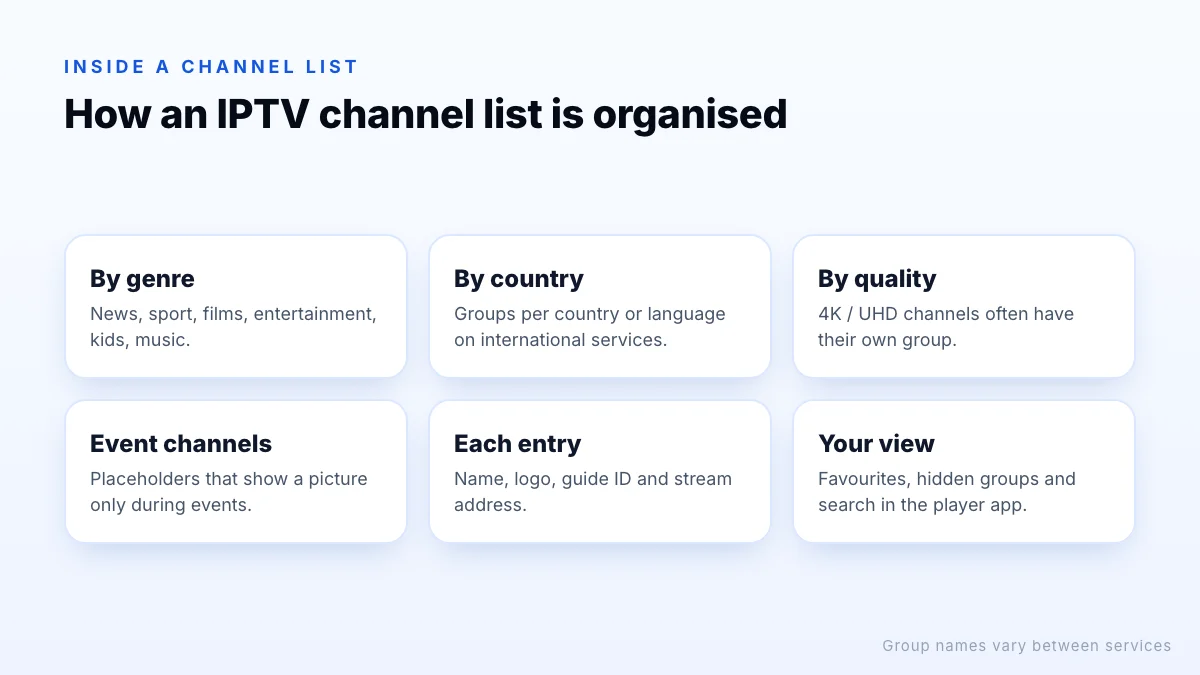
Channels are grouped into categories (sometimes called groups or bouquets). Common ways of grouping include:
- By genre: news, sport, films, entertainment, documentaries, kids, music.
- By country or language: useful on international services, where each country may have its own groups.
- By quality: separate groups for 4K or UHD channels.
- Event channels: placeholders for live events or pay-per-view, which often only show a picture when something is on.
Quality versions: 4K, FHD and HD
Many services list the same channel several times, labelled for example “4K”, “FHD” and “HD”. They carry the same programme at different resolutions and bitrates.
| Version | Resolution | Choose it when |
|---|---|---|
| 4K / UHD | 3840 × 2160 | Your TV, device and connection all support 4K and the channel is genuinely produced in 4K |
| FHD | 1920 × 1080 | Most TVs and connections; the best everyday choice |
| HD | 1280 × 720 | Slower connections, small screens or busy evenings |
Having all three is useful: if the 4K version of a match buffers, switch to FHD and keep watching. Sport channels sometimes also list 50 or 60 frames-per-second versions, which look smoother in fast motion but need more bandwidth. Our 4K IPTV guide explains when 4K is worth it. Xtreme HD IPTV offers channels in 4K, UHD, FHD and HD.
Backup and alternative feeds
Some lists include a second entry for important channels, labelled for example “backup” or “alt”. It carries the same programme from a different source, so if one stops working during a live event you can switch rather than wait. If your list has them, it is worth adding both to favourites for the channels you care about most.
Regional, international and radio channels
Broadcasters often run regional versions of the same network, with local news or adverts, and an international service may list them all. The same applies to country groups: a service with many countries can list the same international channel in several languages. Some lists also include radio stations, which play audio over a still image or logo. None of this is a problem, but it explains why the same name can appear in several places, and why hiding the countries and categories you never watch makes the list far easier to use.
When channels change
Channel lists are living things. Broadcasters launch, close and rename channels, rights to events move between networks, and services reorganise their categories. When that happens, a favourite can disappear or move to a new group. Refreshing the playlist in your player brings in the current list; if a favourite has gone, search for the channel name, which often finds it under its new label. If a channel you rely on vanishes entirely, ask support whether it has moved or been withdrawn.
What a channel count really tells you
IPTV services often advertise large numbers; ours, for example, is 20,000 live channels. A number like that is a count of entries in the list, so it includes:
- several quality versions of popular channels;
- regional variants of the same network;
- channels from many countries and languages you may never watch;
- event and backup channels.
A large count shows variety, but it does not tell you whether the handful of channels you care about are present, reliable at peak times and matched to the guide. Judge a service on those, not the headline number. Our checklist for choosing an IPTV provider covers the rest.
Finding channels quickly
- Use search. Most players search by channel name, and many also search the guide by programme title.
- Build favourites. Add your regular channels once and open the favourites group by default.
- Hide categories you never watch. The app loads faster and scrolling becomes manageable.
- Browse with the guide. The EPG lets you scan a whole category by what is on, not by name.
- Learn the remote shortcuts. Many TV players jump a page at a time with the channel buttons.
- Use channel numbers. Many players number channels, so you can type a number on the remote, much like cable TV.
For more control, see our guide to the IPTV playlist editor options built into players.
How to check a channel list before you pay
Published channel lists go out of date quickly, and lists shared on forums may not match what a service offers today. The reliable way to check is to look at the real list in a player:
- Write down the five to ten channels you watch most.
- During a trial, search for each one and check it plays, in the quality you want.
- Open the guide for those channels and check the listings are correct.
- Test them again in the evening, when connections are busiest.
Ask support
The bottom line
An IPTV channel list is a set of live streams grouped into categories, often with 4K, FHD and HD versions of the same channel. Large counts include those versions and regional or event channels, so check the specific channels you watch rather than the total. Search, favourites and the TV guide turn a big list into something you can use every day. The simplest test is real use: request a trial, find your channels, and watch them at the times you normally would.